Configuration
Everything you set on the deploy form maps to a field on the deployment.deploy API call. This page walks them, top to bottom, with the values they accept.
The deploy form#
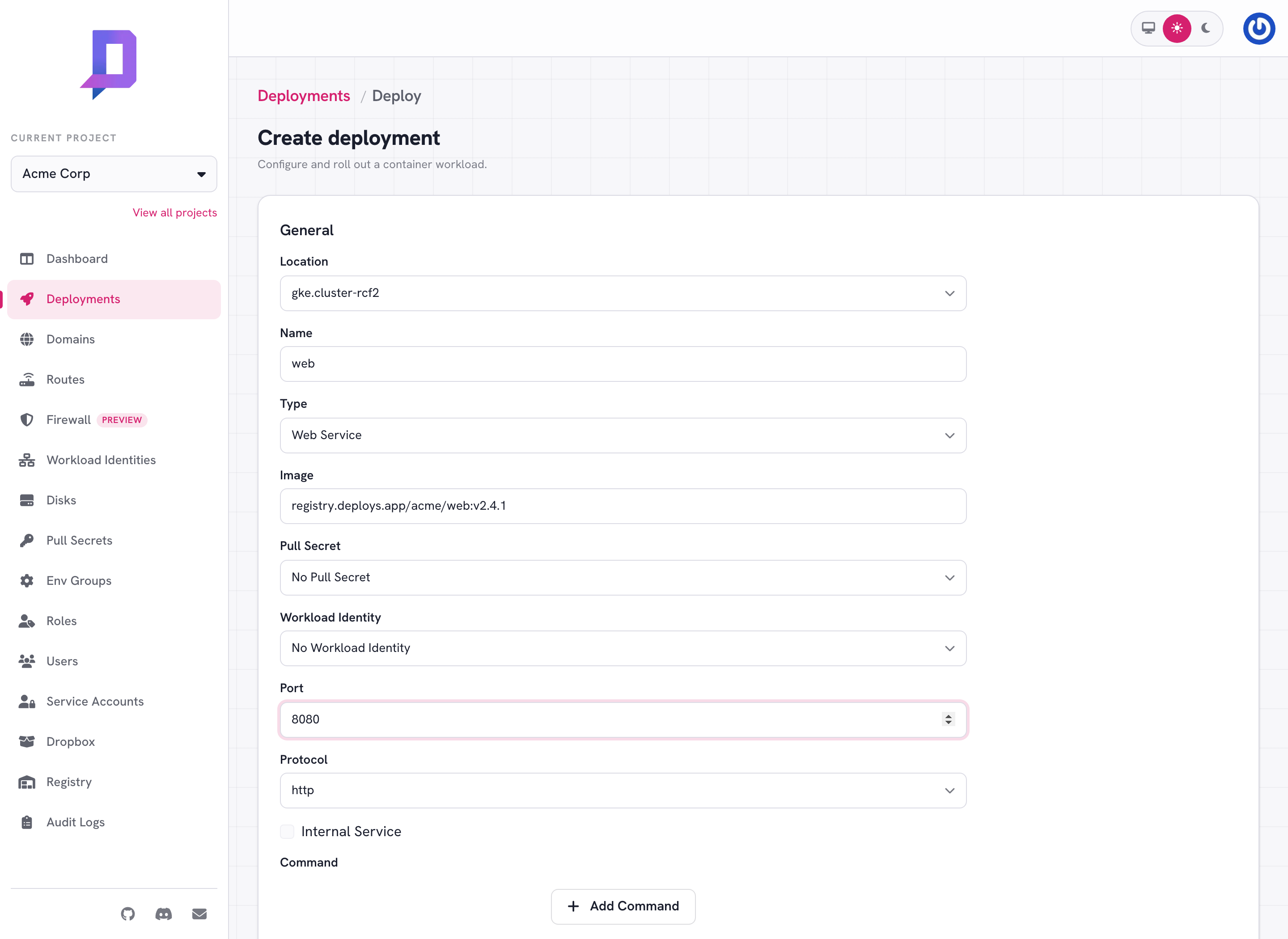
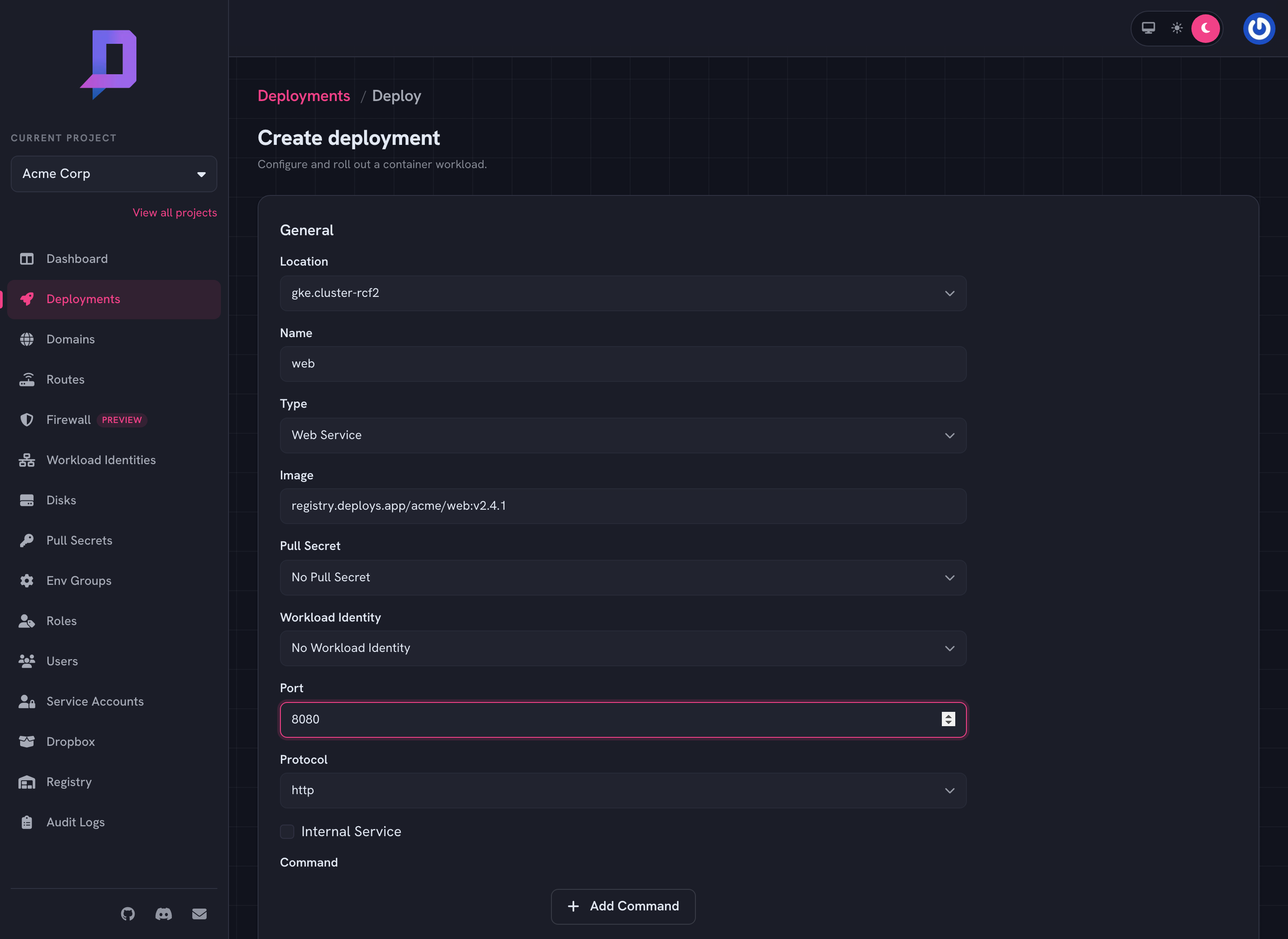
The console’s deploy form gathers all configuration on a single screen. The same fields show up on the Deploy New Revision button on an existing deployment, pre-filled with the current values.
Identity — project, location, name#
The triple that uniquely identifies a deployment. name must be DNS-safe
(lowercase letters, digits, hyphens) because it ends up in your public hostname.
Once a deployment exists, name and location can’t change — a “rename” is
just a delete + create.
Image — image#
A fully-qualified container image reference, with a tag or digest.
nginx:1.27
registry.deploys.app/acme/web:v2.4.1
ghcr.io/acme/api@sha256:c2f8…
Pin a specific tag or — better — a digest. :latest is allowed but rolls out
the current latest at deploy time and never re-pulls, so a future
latest push won’t reach your running deployment.
If the image is in a private third-party registry, attach a
pull secret with pullSecret.
Type and port — type, port, protocol, internal#
type decides what shape the deployment takes — see
Deployment types for the full list of strings. The other
three only apply to web services and TCP services:
port— the container port your app listens on (e.g.8080).protocol— forWebServiceonly. One ofhttp,https, orh2c(HTTP/2 cleartext).internal— forWebServiceonly.truekeeps the service inside the cluster (no public hostname).
Resources — resources.requests / resources.limits#
Each container declares both a request (the minimum it always gets) and a limit (the cap). Values are Kubernetes-style:
| Field | Example values |
|---|---|
cpu | 100m, 250m, 500m, 1000m, 2000m |
memory | 128Mi, 256Mi, 512Mi, 1Gi, 2Gi |
The values you can pick come from the location — call location.get (or open
the deploy form) to see what each cluster allows. Billing meters the
request, so size it carefully: too small and the container OOM-kills, too
big and you pay for headroom you don’t use.
Scaling — minReplicas, maxReplicas#
The platform autoscales between the two. Set them equal to pin a fixed replica
count. Set both to 0 (or omit, for CronJob) when replica count isn’t
meaningful.
Command and args — command, args#
Override the image’s ENTRYPOINT / CMD. Both are string arrays; if you set
command, you almost always also want args.
{
  "command": ["node"],
  "args": ["dist/worker.js", "--shard=1"]
}
Environment — env, envGroups#
env is a map of literal key/value pairs. envGroups is a list of named
env group references whose contents are
merged in. The deploy form has fields for both. The deploy API also accepts
addEnv / removeEnv / addEnvGroups / removeEnvGroups for partial updates
that don’t disturb other variables — see the
environment variables guide.
Schedule — schedule (CronJob only)#
A 5-field cron expression in UTC. Standard syntax: min hour dom mon dow.
0 3 * * *      # every day at 03:00 UTC
*/15 * * * *   # every 15 minutes
0 9 * * 1-5    # 09:00 UTC on weekdays
Disk — disk#
Mount a persistent disk into the container. The disk must
already exist in the same (project, location) and must not be attached to
another deployment.
{
  "disk": { "name": "uploads", "mountPath": "/data" }
}
Optional subPath mounts a sub-directory of the disk only.
Pull secret and workload identity#
pullSecret— references a pull secret in the same(project, location)for private third-party images.workloadIdentity— references a workload identity so the container can use Google Cloud APIs as a GCP service account without long-lived keys.
Sidecars — sidecars#
Each entry has its own name, image, port, resources, command, args,
and env. Use them sparingly — they share the pod with the main container and
its lifecycle.
TTL and one-shot jobs — ttl#
Seconds until the platform deletes the deployment automatically. 0 clears any
existing TTL. Combine ttl with type: Worker for one-shot tasks you don’t
want to manage by hand.
deployment.deploy request body. The deploy form is just a
nicer way to fill that JSON.